
Table of Contents
Smart Home During Renovation: What to Plan For
A smart home renovation costs far less than retrofitting later. That single sentence is the point of this guide: devices can be bought at any time, but cable inside a wall can only go in while the wall is open. Below is what to allow for now and what can wait.
In this article
Wired or wireless
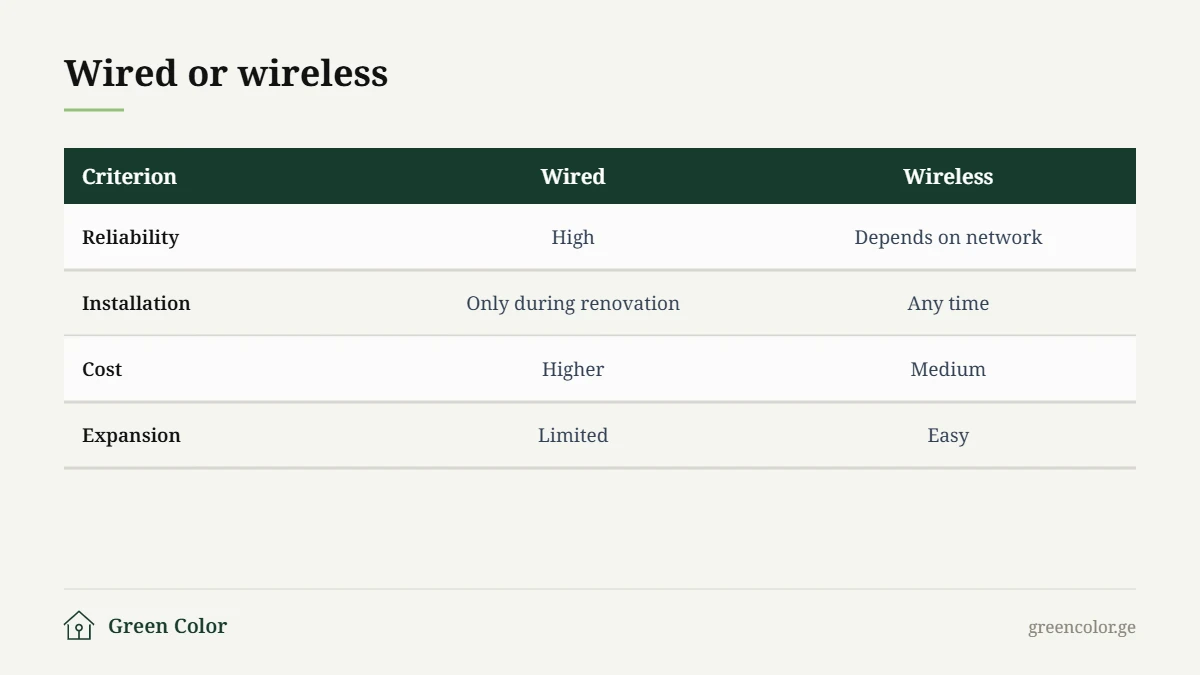
The practical recommendation is a hybrid. Put critical functions — lighting, blinds, water shut-off — on wiring, and the convenience layer — sensors, speakers, cameras — on wireless. That way the lights still work from an ordinary switch when the Wi-Fi drops.
What to install before the walls close
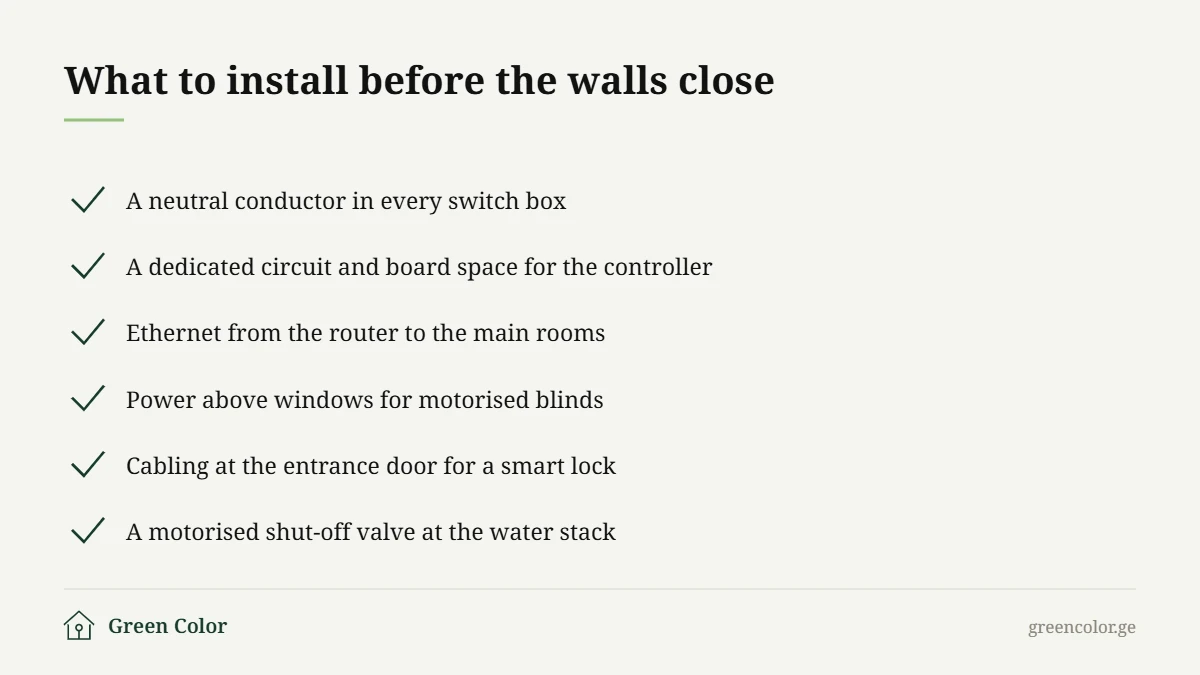
- A neutral conductor in every switch box — most smart switches require one, and without it your choice narrows sharply.
- A dedicated circuit and board space for the controller.
- Ethernet cabling from the router to the living room, study and any planned camera position.
- Power above the windows for motorised blinds — the single most common regret.
- Cabling at the entrance door for a smart lock and video intercom.
- A motorised shut-off valve at the water stack, so a leak sensor can actually close the water.
This list matters because each item costs almost nothing at first fix — cable is cheap. Afterwards, the same items mean chasing walls, replastering and repainting.
Order of implementation
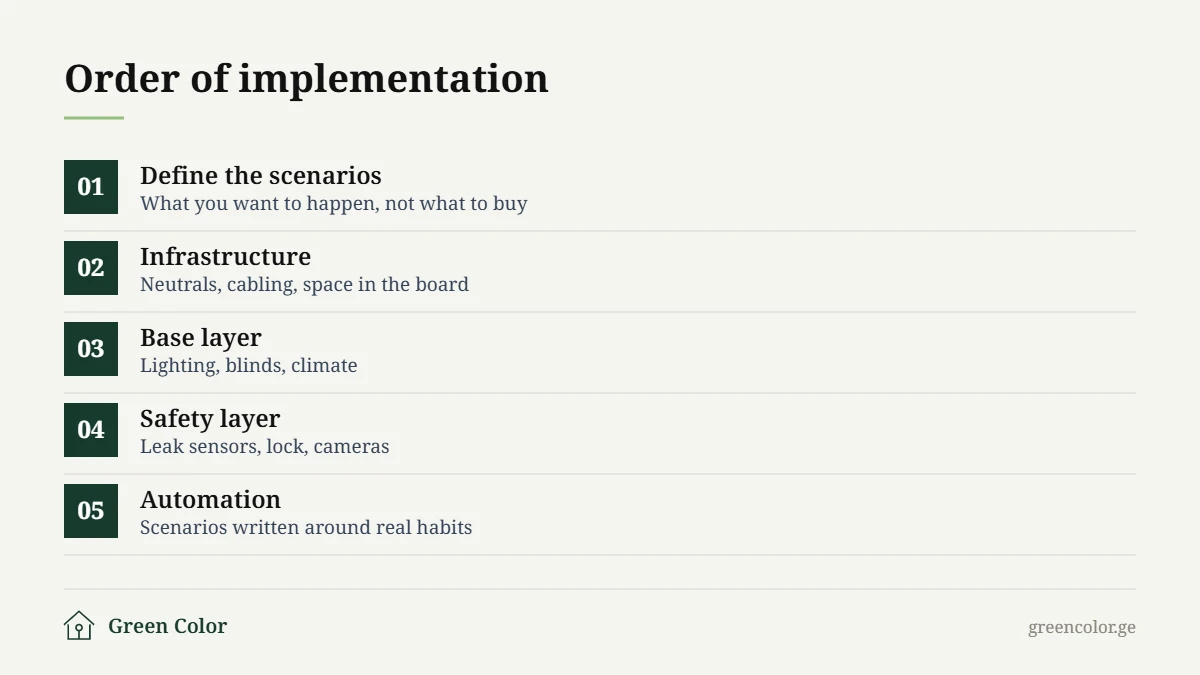
The usual mistake is starting with devices. The correct sequence is the reverse: first define what you want to happen — “the living room lights go off at eleven”, “the water shuts off if a leak is detected” — and only then choose the hardware that delivers it.
What pays back fastest
In practice, three things: leak sensors paired with a shut-off valve, where a single avoided flood covers the whole system; thermostats, which cut heating costs by 5–10%; and lighting scenes, the most noticeable daily improvement for the least money.
Protocols and compatibility
A smart home renovation only works well when the devices actually understand each other. Several protocols coexist in home automation: Wi-Fi, Zigbee, Z-Wave, Thread and Bluetooth, each with its own strengths.
Wi-Fi is simple but loads the router — forty or fifty devices noticeably slow a home network. Zigbee and Thread are low-power and form a mesh, where each device relays for the next, so coverage improves as you add hardware.
The practical recommendation: sensors and switches on Zigbee or Thread, cameras and speakers on Wi-Fi. That keeps the network unloaded and response times short.
Local control versus the cloud
One important choice is usually made too late: does the system run locally or depend on the cloud? Cloud solutions are cheap and easy to start with, but half the functionality disappears when the internet drops. And if the manufacturer shuts the service down, the hardware becomes an ornament.
A local controller — Home Assistant, a HomeKit hub or equivalent — removes that risk: scenarios execute in the house and the internet is needed only for remote access.
What this means at first fix
- Space and power for a controller in the board or a technical recess
- Ethernet to the controller — more reliable than Wi-Fi
- A neutral conductor in every switch box
- Switches that still work physically with the network down
All four cost essentially nothing during renovation. Afterwards each one means opening walls again — which is why a smart home renovation has to be decided at first fix, not later.
Frequently asked questions
What does a smart home cost?
The range is wide. A base layer of lighting and climate control on a wireless system costs far less than a fully wired installation. The important thing is to put the infrastructure in now and add devices in stages.
Which ecosystem should I choose?
Choose the one that works with your phone and voice assistant, and check for Matter support — it lets devices from different manufacturers work together and reduces lock-in.
What happens if the internet goes down?
In a properly designed system, nothing critical. Switches should work physically without the network. If a device cannot guarantee that, it should not control anything essential.
On wiring, see apartment electrical wiring, and for the wider sequence our guide to renovation in Georgia.